
















































 |
|
Page 2 of 2 | |
|
|---|
BillyB25
Comment #22 Saturday, December 2, 2006 5:02 PM
Comment #22 Saturday, December 2, 2006 5:02 PM
The above poster is correct. You must first deleted the old Transgloss. There's no need to go digging thru folders and deleting files.. Just go into the Windowblinds configuation screen. Right click on Trangloss and select delete. You don't even have to restart your PC.After it's deleted THEN you can install the new Transgloss.
The WB is great. I've used the old Trangloss a LOT. Unfortunately, I think the animations take away some of the class from the look of the new Transgloss.
The animations should be more subtle. Also, instead of the cirles, I think you should animate a nice smooth shiney gloss instead. It would look much nicer and it would fit the theme of the WB much better, too.

infideldawg
Comment #24 Saturday, December 2, 2006 7:57 PM
Comment #24 Saturday, December 2, 2006 7:57 PM
Slagny,
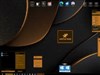
Re: the wallpaper...the clue is in the bottom right of the screen. It is available on Alienware's wallpaper site.
infideldawg
Re: the wallpaper...the clue is in the bottom right of the screen. It is available on Alienware's wallpaper site.
infideldawg
infideldawg
Comment #25 Saturday, December 2, 2006 8:01 PM
Comment #25 Saturday, December 2, 2006 8:01 PM
Slagny,
Re: the wallpaper...the clue is in the bottom right of the screen. It is available on Alienware's wallpaper site.
infideldawg
Re: the wallpaper...the clue is in the bottom right of the screen. It is available on Alienware's wallpaper site.
infideldawg
infideldawg
Comment #26 Saturday, December 2, 2006 8:02 PM
Comment #26 Saturday, December 2, 2006 8:02 PM
Slagny,
Re: the wallpaper...the clue is in the bottom right of the screen. It is available on Alienware's wallpaper site.
infideldawg
Re: the wallpaper...the clue is in the bottom right of the screen. It is available on Alienware's wallpaper site.
infideldawg

infideldawg
Comment #28 Sunday, December 3, 2006 3:05 PM
Comment #28 Sunday, December 3, 2006 3:05 PM
I swear I only pushed the button once...honest.
*chagrin*
*chagrin*
slagny
Comment #29 Sunday, December 3, 2006 8:40 PM
once...once...once...
Comment #29 Sunday, December 3, 2006 8:40 PM
| I swear I only pushed the button once...honest. |
once...once...once...

Inazumako
Comment #30 Sunday, December 3, 2006 11:53 PM

Comment #30 Sunday, December 3, 2006 11:53 PM
Works fine (after deleting old Transgloss skin)
Looks good...nice job
I like low impact animations
Looks good...nice job
I like low impact animations

Please login to comment and/or vote for this skin.
Welcome Guest! Please take the time to register with us.
There are many great features available to you once you register, including:
- Richer content, access to many features that are disabled for guests like commenting on the forums and downloading files.
- Access to a great community, with a massive database of many, many areas of interest.
- Access to contests & subscription offers like exclusive emails.
- It's simple, and FREE!
|
|
Page 2 of 2 | |
|
|---|






Comment #21 Saturday, December 2, 2006 2:53 PM