














































 |
|
Page 2 of 3 | |
|
|---|

Comment #22 Sunday, March 9, 2014 11:54 AM
What can I say Andrew my friend, I remember your first blind light years ago and now this. You are the best. 

Comment #23 Sunday, March 9, 2014 1:26 PM
Nice skin. I like it muchly.
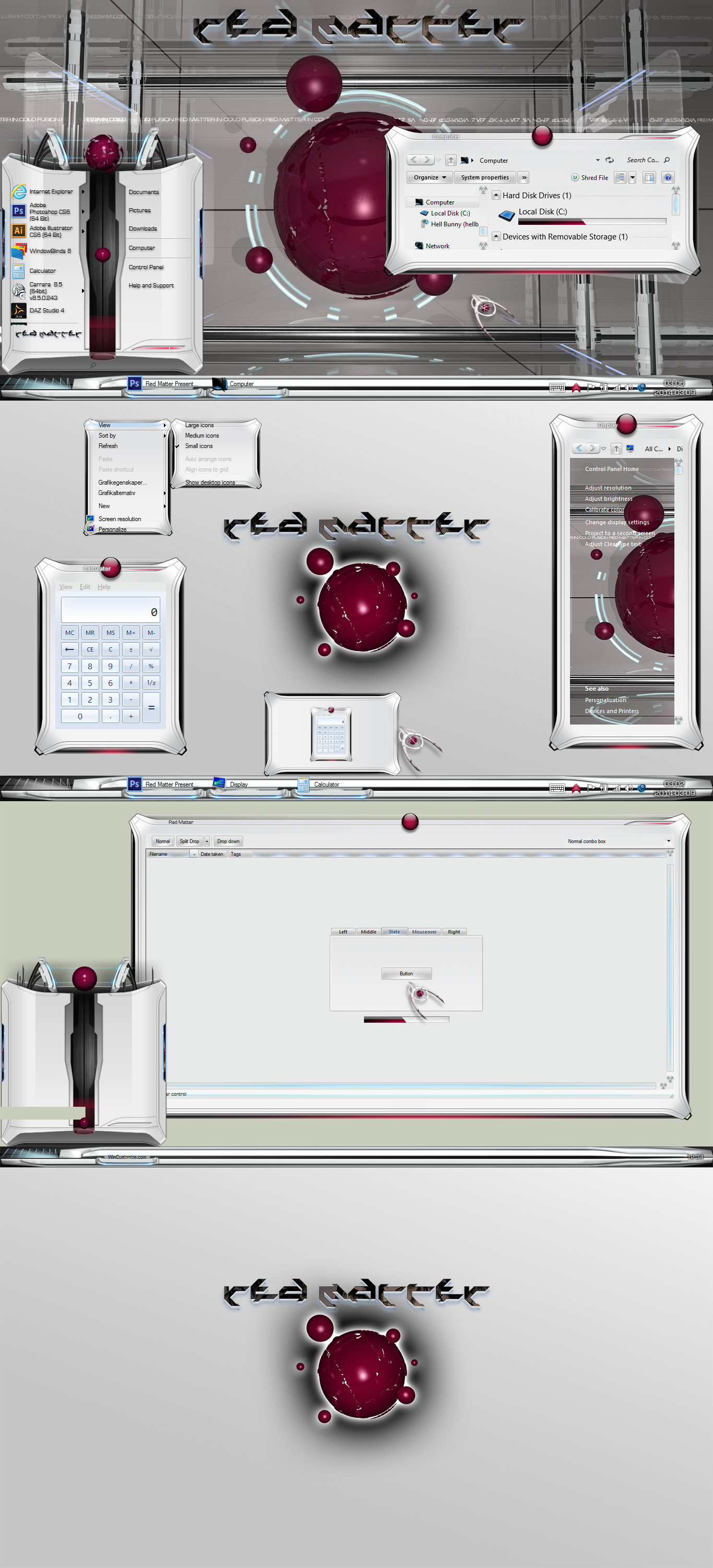
I do get an animated ball at the top of the start menu, but I only see a very short hint of animation at the bottom of it. Is it supposed to be that way, or is it because I'm on 8.1?

Comment #24 Sunday, March 9, 2014 1:39 PM
 & The skin works smoothly as ever.
 The "Red Drop" should go from the bottom up into the red animated sphere with a nice interval between drops.
-Also: Win 8 Users should use this: Link For the desired menues to show accordingly,
Comment #25 Sunday, March 9, 2014 1:43 PM
 i think that red matter is the culprit.... hahhaa ... STEVE!!!!
Comment #26 Sunday, March 9, 2014 1:53 PM
7 looks great. Love the taskbar buttons.
Maybe if I reload it on 8 it'll be ok. It may be something to do with WinFX as well. I find it sometimes messes with start menu animations.
Hot stuff, Andy!! Red hot!
Comment #27 Sunday, March 9, 2014 2:05 PM
Yeah, Andy, on 8.1, I have to turn off WinFX to see the animation. So it's not the skin.
It's a WinFX problem.
Comment #28 Sunday, March 9, 2014 2:05 PM


Comment #29 Monday, March 10, 2014 1:15 AM
Return of the Champion! I bow before your greatness, my lord.
Comment #30 Monday, March 10, 2014 10:47 AM
Thanx reaper
Comment #32 Sunday, March 16, 2014 12:31 PM
One of the few WB's that are properly done. I mean:
Parts that are supposed to look rounded actually do look rounded. On the most themes the gradients are just badly chosen and don't appear like intended at all. No overdone, futuristic "decorations". No poorly done 3D elements with wrong perspectives.
Usable and kind of simple, yet remarkable any stylish.
And even for free. Thanks.
Just a few small things could be improved. For example the top and bottom parts of the start menu are looking pixelated.
Also the right-click menu should be replaced by a simpler version or increased in size, as the icons are overlapping the left border, the arrows the right border and the texts the top & bottom borders.
I also would like to have a version without the red sphere on the top window frame.
And the task bar is in general a bit overdesigned imho, but the running program buttons do look great.
(but i don't care very much about the task bar anyway as i have it hidden. I use Object Dock and Tiles instead)
Also big thanks for the link to OldNewExplorer! Finally all of my WB's are looking normal on Win 8.1.
Edit: There are some visual bugs. Like the readability of the text inside the black/red popup box here e.g.: http://imageshack.com/a/img560/1796/50ce.jpg
Comment #33 Sunday, March 16, 2014 2:55 PM
Comment #34 Sunday, March 16, 2014 7:35 PM
Thanks...I think
You are not sure what i mean or...?

Comment #35 Tuesday, March 18, 2014 5:15 PM
Just judging based upon the screenie as I speak. I have never doubted you, Andy. Your imagination blows my brain up. A phenomenal stuff here 


Comment #36 Tuesday, March 18, 2014 5:35 PM
T H A N K S Tom !!Comment #37 Thursday, March 27, 2014 1:39 PM
This is awesome theme! Now I just wish there where matching screensaver or dream scene.
Comment #38 Sunday, March 30, 2014 12:30 PM
You must have the software installed.
https://store.stardock.com/product/ESD-SDS-W1222
Comment #39 Sunday, March 30, 2014 6:56 PM

Comment #40 Tuesday, April 1, 2014 11:25 AM
That is a bug from firefox side since it overrides some stuff in its theme.
I would cladly make firefox theme that goes with this theme, but cant find any proper information / tutorial for the latest FF complete theme and not just some the persona theme.
Please login to comment and/or vote for this skin.
Welcome Guest! Please take the time to register with us.
There are many great features available to you once you register, including:
- Richer content, access to many features that are disabled for guests like commenting on the forums and downloading files.
- Access to a great community, with a massive database of many, many areas of interest.
- Access to contests & subscription offers like exclusive emails.
- It's simple, and FREE!
|
|
Page 2 of 3 | |
|
|---|


Comment #21 Sunday, March 9, 2014 11:14 AM