











Object Desktop 2008 discussion
Monday, January 28, 2008 by Draginol | Discussion: Personal Computing

For nearly a decade, Object Desktop has been the premiere solution users of Windows to turbo-charge their desktop experience. In 2008, we're going to see some of our biggest changes yet.
Preliminaries
Starting this year, Stardock is going to create two versions of Object Desktop. There will be normal Object Desktop which will have the core parts of the suite (WindowBlinds, IconPackager, DesktopX, etc.) and Object Desktop Ultimate which will a lot more programs in it. All present users of Object Desktop will be automatically migrated to Object Desktop Ultimate.
Another change this year will be how Object Desktop is packaged. In the past, a new user would simply get a serial # and a link to download Stardock Central.
This year, Stardock Central will be going away. Instead, a new program (which we can't yet talk about) will be replacing it to provide a much better experience not just with Object Desktop but in terms of managing all kinds of digital content. Moreover, users will download a core Object Desktop download so that we can assume that certain basic pieces of the program are installed.
The core of Object Desktop 2008 will be:
- WindowBlinds
- IconPackager
- DesktopX
- DeskScapes (if applicable)
- MyColors
- Object Desktop LaunchPad
- New Updating program
Additional programs that will be included with the standard edition of Object Desktop 2008 are:
- SoundPackager
- 3 premium suites plus 3 additional premium suites within the year.
Object Desktop Ultimate will include the above plus all the other programs that you expect with Object Desktop. And as mentioned, if you have Object Desktop at the time of launch, you get Object Desktop Ultimate automatically.
The growing importance of content
As some people have noticed, Stardock Design has begun releasing free content into the community in the form of skins, themes, icons, wallpapers, suites, etc.
One of the big changes for Object Desktop users will come in the form of a steady stream of content that will be free to Object Desktop users. Every so often, Stardock Design will release a new premium suite that will be automatically appended to your account as something you can download through MyColors. The minimum commitment is 6 per year (1 every other month).
Stardock wants to be able to fully demonstrate the capabilities of Object Desktop as well as provide samples and tutorials to up and coming skin authors who want to make their own stuff.
So what else is new?
We're still in the process of migrating things to Windows Vista. By the end of 2008, everything should have a Windows Vista version (that includes 64-bit). In fact, on that front, we will begin acquiring increasing numbers of 64-bit Vista boxes for making us "live in" 64-bit mode.
Windows XP users will continue to see Object Desktop grow in the sense that features thought to be possible only on Windows Vista will migrate to Windows XP users.
We'll also have a lot of updates to existing programs including: 
IconPackager 4
Most people may not realize how important IconPackager 4 is going to be. If you're a Windows Vista user, you must realize by now that most existing icon packages are useless on Vista. That's a real shame since there's so many good icon packages out there. IconPackager 4 will address this in the following ways:
- IconPackager 4 will allow users to independently set their live folder icons from the rest of the package.
- IconPackager 4 will automatically scale up existing icons such that they look correct on Windows Vista.
- IconPackager 4 will have a much better user interface to allow us to expand its base feature set more easily in the future.
IconDeveloper 2
 Noticed that there aren't as many new icon packages as there used to be? That's because it's a lot more work to make icons for Windows Vista.
IconDeveloper has been rewritten for the Vista age. It runs fine on Windows XP but now icon artists can future-proof their work. Eventually Stardock hopes to add wizards and other helpers to make creating Vista-specific elements even easier.
IconDeveloper 2 will be part of Object Desktop Ultimate.
TweakVista 1.x
You may have heard somewhere but not all people are perfectly happy with Windows Vista. TweakVista is Stardock's answer to this by allowing users to tweak and alter Windows Vista safely in ways that match the user's preference.
TweakVista 1.1 is due out shortly with additional updates due throughout the year. Available on the Ultimate Edition.
WindowBlinds 6.x
 WindowBlinds will, of course, continue to evolve throughout the year. There's a lot of area where we still want to give users more control. For example, fonts. We want users to be able to control fonts to a much greater degree than they currently do.
DesktopX 3.x
DesktopX has not had a smooth ride on Windows Vista. That's because of the UAC. DesktopX widgets and such rely heavily on VB Script which the UAC has made a lot more difficult to deal with. Another popular type of widget/gadget have been ones that make use of the NT performance monitors.which are largely gone or forbidden in Windows Vista. So now you know why DesktopX 3.5 hasn't shown up in a timely manner.
So what's the future of DesktopX? Once Vista SP1 officially comes out, Stardock will be able to make final compatibility testing and release. But that won't be the end of the DesktopX journey on Vista. That's just the beginning.
DesktopX's future will rely increasingly on providing more plug-ins to allow authors to build a lot more types of widgets and gadgets. We're starting with the media player gadget. Then we plan to create:
- Weather gadget plugins
- Performance monitor plugins
- Clock plugins
- RSS plugins
- Stock plugins
- And others on request
In this way, the "coding part" is handled by Stardock and skinners can focus purely on the skinning part.
DeskScapes 2.x
DeskScapes is another key component of Object Desktop that a lot of resources will be going into. DeskScapes is a lot like WindowBlinds in those early days where users found that some skins used virtually no CPU and others used a ton. DeskScapes is like that too. Some of the included content uses virtually no CPU at all. But on the other hand, some of the video-based content uses quite a bit. Your mileage will vary.
SkinStudio 6
There's still some work to do on SkinStudio 6 but we're getting close to the point where we think it's ready for general availability and then we can move on to adding more features (like batch colorizing!). SkinStudio 6 is key because it will allow more casual users to be able to make skins again.
MyColors
 No single project had more resources put on it this year than MyColors. On the surface, it seems like such a simple program. But under the covers, it's a feat of engineering. Consider all the permutations in which someone might have WindowBlinds, IconPackager, etc. installed and making sure that users who get a MyColors theme can run them via WindowBlinds or MyColors depending on the version. MyColors 2008 was the first version that could safely coincide with WindowBlinds and IconPackager on the same system thanks to its self-healing architecture.
Other Notes
This is by no means an exhaustive list. There will be updates to most of the other programs already in there along with the addition of a couple of new programs later this year that I can't yet talk about. Suffice to say that both XP users and Vista users will be in for some pleasant surprises we think.
But 2008 will definitely mark a turning-point for Object Desktop. It will be the year in which we explicitly have a consumer version as well as a power user version and are able to cater to both groups accordingly.
Probably the single biggest change will be the vast increase in the amount of resources dedicated to Object Desktop. This can be seen most particularly in the content arena with free MyColors themes being provided every other month or so.
Object Desktop 2008 (standard) will remain $49.95 and renew for $34.95. Object Desktop Ultimate Edition will list for $69.95 and renew for $39.95. All existing Object Desktop users at the time of launch will be migrated automatically to Ultimate edition.
Animated Wallpapers for everyone!
Wednesday, January 16, 2008 by Draginol | Discussion: Personal Computing

DeskScapes 2.0 beta now available for Object Desktop users.
Now all users of Windows Vista can get animated wallpaper.
ID's 2008 Tech Predictions
Tuesday, January 1, 2008 by Island Dog | Discussion: Personal Computing
The new year is here, and I'm sure over the last couple of weeks you have seen several people posting their 2008 tech predictions. Not to be left out, I figured I should do my own list and get your opinions as well, and at the end of the year we can see how good we are.

Apple: I don't think many can argue that the iPhone was the top gadget of 2007, so what will 2008 bring for it? I think we will see a minor hardware update, possibly announced at Macworld this month, with the probable addition of 3G and very slight visual changes. There is not going to be a major revision until around the 2 year mark, as that is when the AT&T contracts will be up for renewal.
On the software side, Apple will release the SDK as promised and there will be some truly awesome 3rd party apps made available without the need to hack the iPhone. More news from Macworld will be the announcement of the iTunes rental store, which will launch with great hype, but will fall flat in just a few months.
Microsoft: 2007 was an interesting year for Microsoft, we seen the retail launch of Vista along with a heavy dose of criticism about it. SP1 will be released in a couple of months, and it won't help the criticism much, and it just might add to it. Some have predicted we will see the first betas of "Windows 7" this year, although I doubt this will happen. We will see some updates to Windows Home Server which has been horribly marketed, and hopefully will gain more attention as WHS is a great product.
Towards the end of the year, consumers will start hearing about the next Xbox edition. There won't be much as far as hardware or specifications, but I think Microsoft is going to start the hype early. Also on the Microsoft schedule will be Internet Explorer 8 which has gotten itself in the news lately. Not sure if this will make it out this year, but I think we will see some public previews made available.

Mobile Industry: 2008 will be the year of the iPhone clones. There have been a few attempts already, and most, if not all will not get any attention other than being recognized as cheap knock-offs of the iPhone. There will be some fantastic new phones released this year, but the iPhone will still be the most talked about. Smartphones in general will continue to rise in popularity, and 2008 will be another year where we will see wireless access expand at a rapid rate.
Web 2.0: We have seen a lot of "Web 2.0" this year. Sites such as Facebook, Flickr, Digg, Twiiter, etc. have exploded in popularity, and 2008 will be no different. 2008 will see quite a few acquisitions of some of these companies, and we will see some fade away, but a few new ones will appear to take their place. I was trying to think of some good ideas for sites like these, but came up blank so I'd like to hear what kind of "2.0" sites we will see this year.

Desktop Customization: It just wouldn't be right if I didn't speak a bit about desktop skinning for 2008. I'm going to write more about this later, but I believe 2008 is going to take off especially in the Windows Vista area. Stardock Deskscapes 2.0 will bring .dreams (animated wallpapers) to a much wider audience, and in turn we will see some great .dreams being created.
In the next couple of months, we are going to see many more skins being created, especially in the WindowBlinds area. SkinStudio 6 has made this process much easier, and with the tutorials being written more people will try their hand out at skinning. I'm not going to say too much else in this area, but I can assure you that 2008 will be a great year for skinning.
Well that is my top 5 list, and now it's your turn. Let me know your predictions, and what you think of mine either by leaving a comment or writing your own blog.
The Five Most Significant Tech Trends of 2007
Tuesday, January 1, 2008 by Draginol | Discussion: Personal Computing
- Apple is conquering the world
- Google vs. Microsoft Live
- DRM is losing ground
- PC Makers need to improve experience
- The Cloud is starting to take over
Last year was one of the most exciting years in tech I've ever seen. Not only did we see amazing new products come out such as some great new digital cameras from Canon and Nikon, but we also finally started seeing cell phones take usability more seriously, the launch of Windows Vista, cars starting to cater to techies in a big way and a lot more.
But were there any trends that we could see? If you'd asked me last year, I would have predicted that we'd be talking about Blu-Ray or HD-DVD as well as how next-generation consoles were taking over. But it turns out, last year saw some pretty unexpected trends begin to emerge.
Below are the 5 biggest trends we recognized last year as having far-reaching consequences.
Trend #1: Apple is conquering the world
 A few years ago, Apple was a spent force. It took them until 2000 just to get a preemptively multitasking operating system on the market. Today, I could be convinced that Apple has a pretty decent shot of doing to Windows what Windows did to OS/2. Apple has proven something that many companies have forgotten: execution matters. It's not who comes out with the most powerful gadget or even the most innovative product, it's who produces the product that does what it does the best. Pretty simple right? Apparently it's not since Apple is leaps and bounds above everyone else in understanding this concept.
Anyone who has used an iPhone can tell you that the iPhone isn't just a little bit better than other cell phones in terms of usability, it's massively better. The only thing that saved LG, Samsung and the rest last year was that the iPhone was exclusive to AT&T, was on the Edge Network, and didn't include GPS. Imagine a scenario where the iPhone had 3G and GPS built in and was available from anyone and I think you would have been looking at total domination.
What's worse is that the cell phone makers still don't get it. The LG Voyager (which got a high rating at CNET surprisingly) is still awful compared to the iPhone in terms of usability.
Apple also released a new series of iPods. The iPods weren't the first music players, but like the iPhone, they were so far superior to what else was out there that they took over. This year, I'd say that the iPod lead actually grew. It makes one wonder just how clueless their competitors must be. Spend some time with an iPod Touch and then wonder what the heck Microsoft was thinking with their latest Zune.
Then you have the release of Leopard. It wasn't a perfectly smooth release but relative to Vista, it was a paradise. When people ask me whether they should get a Mac or a PC, it's getting a lot tougher to recommend the PC these days and I'm starting to wonder why I'm recommending a PC at this point.
At the rate things are going, one could imagine a world in which the Mac is the standard home computing platform, the iPhone is the standard mobile device for doing anything and everything one might realistically want to do, and AppleTV 2 (or whatever the next-gen one is) is how one deals with entertainment content in the home.
If you compete with Apple, you probably are afraid. But you're probably not afraid enough.
Trend #2: Google vs. Windows Live
The battle lines are drawn and right now only the geeks even care about these things. But as time goes on, these two services will start to matter to normal people too.
Here are the battle lines and philosophies:
Google is creating very rich and interesting web services that users can do everything from do spread sheets, blog, share images, etc. It's all web based.
Windows Live is doing much the same thing except with more emphasis with desktop integration.
At this stage, I would say that Microsoft's philosophy is a bit better -- I don't want to use a website to do spread sheets. And Microsoft's organization is a bit better. I find navigating the Google goodies to be more difficult. Live is marginally better. Microsoft would be better off not copying off of Google so much.
But the battle for web-based user experience is something that's going to continue to grow, especially as the "cloud" takes over more (which we'll get to shortly).
 vs.
vs. 
And yet most people don't know this stuff exists. Which is probably a good thing as a lot of this stuff is not ready for prime time.
Google still dominates in the search. Live Search still needs a lot of work. But the other tools in Live are pretty good. My biggest gripe is that they have their own distinct "look" to them that's kind of like Aero but...not Aero. I'm sure the people who worked on Aero really appreciate having one of the teams go off in their own direction diluting the branding like that especially since it's only different for the sake of being different.
But there are some very interesting gems coming out of this battle.
For Windows Live they've got:
- Live Messenger is pretty good (though Yahoo's new client blows it away)
- Live Photo Gallery is an extremely nice and easy way to get your stuff onto the web (though they make it remarkably difficult to share these pictures).
- Live Writer is very awesome. Just wish it had more options in formatting.
- Live Search Maps is better in some ways than Google Earth.
On the other hand, Microsoft continues to not bother to make the most of the fact that 95% of the population has Windows on their desktop. SkyDrive should install a drive in My Computer that works like a regular hard drive except puts its stuff onto sky drive. Maybe I just don't get Sky Drive but it's just not very useful right now.

Live Writer rocks!
For Google, you've got some really cool stuff too:
- Google Desktop Search is still the best in my opinion and Google search is still light years ahead of anyone else.
- Google Calendar is just awesome. Microsoft is starting to move forward on their own Live Calendar but it's just getting started. I'm really surprised Google hasn't created a Microsoft Project competitor. Imagine a Project.Google.com which integrated with Google Calendar to help groups coordinate better. I'm also surprised Microsoft hasn't done so either (Microsoft Project 2007 is still primitive).
- GMail absolutely blows away Hotmail. I mean seriously, Hotmail doesn't have auto-fill on addresses. Ironically, Live Mail looks better than Gmail now. And Gmail has incredibly spam filtering.
- Picasa is slightly better than Live Photo Gallery but it's hard to say since Live Photo Gallery's Windows app is nicer but with Picasa I can easily link to what I submit.
There's no doubt that both services are pretty good though. This is one area in which both competitors have sharp people on them. I just can't quite understand Microsoft. I liked them better when they were bastards. The Microsoft that crushed OS/2 would have leverage the Windows platform a lot more. Live feels like it was written to appease Linux users or something.
Trend #3: DRM is losing ground
Admit it. You thought DRM was something you were going to just have to live with. I know I did. I detest DRM beyond a minimal threshold (ironically, the DRM in iTunes doesn't bug me, it's largely transparent). But this was the year where you could start to buy DRM-free music from both iTunes and Amazon.
I've written rants about DRM for years. The basic truth is that companies should be trying to prevent lost sales not end piracy. I don't like pirates. They're parasites. But some of the measures used to try to punish them are akin to using radical chemotherapy to get rid of tape worm. "Sure, you lost your hair and look like you're about to die, but we managed to cut down on the tape worms by 28%!"
DRM exists because non-technical executives think that putting draconian copy protection on their content will magically improve sales because it is complicated enough to keep them from pirating it. The reality is, most people will buy something if they want it and its convenient. If you make stealing even slightly more inconvenient than buying it, then you'll get the people who would have bought your products in the first place. The pirates will still steal it but they weren't going to buy it in the first place.
This year it seems that increasing sales versus stopping all piracy finally began to click. Most people are basically honest and if I download a song from iTunes or Amazon, I'm not going to deliberately share it with the world. Some will, but they would have done so anyway through other means.
Trend #4: PC Makers need to provide a better experience to compete
 The Dells, HPs, Gateways, Toshibas and others of the world are probably (hopefully) looking at Apple and realizing that what happened with the iPhone in the cell phone market could very well begin to happen in the PC market.
Here's a question to ask yourself: If the iPhone had been available from every carrier, even with its limitations on 3G and GPS, what % of the market do you think it would have today? Greater than say 5%? If you said yes, that is the thing that PC makers need to be very concerned about because the PC experience right now is awful.
2007 was the year that the term "Craplets" started to become mainstream. It was also the year Windows Vista was released which was supposed to improve the Windows experience. And yet, Windows Vista shows that Microsoft still doesn't quite "get it". Let me give you an example that tells the whole story: The Windows Sidebar, which is on by default, does not allow users to drag and drop short-cuts to it. You can only add "gadgets" of which there are no useful ones really out there. When your default content includes a clock, you know that you're scraping for justification.
For the most part, Windows Vista does deliver a much better experience compared to XP. It was just released a bit too soon.
At the risk of saying "I told you so!" I wrote this article in August of 2006 "Microsoft: Push Vista Back!" in which I wrote:
What will happen if they ship Windows Vista if it comes out in 1Q2007? I predict it will be a disaster. Driver compatibility, rough edges in software working, weird and unpolished UI design, etc. The acronymn UAC will come to haunt Microsoft and they will rue the day they didn't wait just a few more months to get driver compatibility together.
Microsoft isn't really the problem, it's the PC OEMs focus on bundling weird stuff that's poorly implemented. PC makers do this because they generate money on what they preload. But if they don't want to lose their lunch to Apple, they should make it a requirement that anything they include has to add value to the customer and improve the customer experience. That means NO MORE SHAREWARE bundles or time out bundles or whatever.
PC makers also need to start looking to providing more-value add to their customers in terms of the experience. If Microsoft isn't able or willing to fill in some usability gap, then the PC maker should do so.
Consider this: Remember the PCs that shipped with Windows XP in 2006? What were they like? Would you say they had a good experience? Imagine if you were in charge, how would you have changed things? I bet a lot. Of course, Apple is hoping the PC makers just continue to pre-load shareware and craplets and call it a day.
Trend #5: The Cloud is starting to take over
 Most people still use their PCs as an independent machine that uses its Internet connection for web and email. But 2007 was the year that the cloud paradigm began to make its presence felt.
Basically the cloud is where our individual PC is no longer that important. Instead, our data and tool choices are important. Google and Microsoft see this future pretty clearly which is why they're battling out. You could say they are battling it out for their share of the cloud.
But the trend is just starting. For the cloud to take over these 5 pieces have to be filled:
- Your data will have to be accessible anywhere that has a network connection. This is why Microsoft, Google, Yahoo, and countless others are battling for.
- Your private data (the data you don't feel comfortable putting on public servers) has to be seamlessly available to you anywhere too. Nobody has provided a solution to this yet. The big guys seem to think that most people will be willing to put their key files on computers they don't have direct access to which I don't think will happen any time soon.
- Your computing environment needs to be supremely portable. This is what U3 is doing. Your apps and tools are put on a USB drive, you plug it in and you can then do on any computer what you would normally do on your home computer without having to install anything to a remote computer.
- Distributed computing needs to come into existence. That is, the more hardware you have rights on, the more your computing capability should scale. No one has bothered to do this for the masses yet.
- PC virtualization needs to become mainstream. Virtual PC and VMWare are both getting startling close to nailing this. One can imagine a future in which your USB key using U3 tech simply carries around your virtual PC with it. We just need USB keys with say 16 gig capacities which should happen in the next year or two.
But with items #1 and #3 starting to mature, the power users are already starting to jump into the cloud.
So there you go. The 5 most significant technology trends we saw for last year. What they will mean for 2008 remains to be seen. But if the past is any predictor, and it's not, 2008 will be a wild ride.
5 Coolest Things On-Line 2007 -- so far
A look at some of the coolest gizmos made thus far this year
Wednesday, July 18, 2007 by Frogboy | Discussion: Personal Computing
| I don't know about you but I hate having to wait until the end of the year to read those "best of" lists. This is doubly true because those lists almost always favor things released near the end of the year. Well, we're half-way through 2007 already and so here's our list of the top 5 coolest things we've seen so far this year! | ||||||||||||||||||||||||||||||||||||||||||||||||||||||||||||
| ||||||||||||||||||||||||||||||||||||||||||||||||||||||||||||


iPhone: Hype Trounces Common Sense?
I'd be a lemming too if I had a spare $600
Monday, July 2, 2007 by Zoomba | Discussion: Personal Computing
 Ok, Friday the iPhone went on sale. Apple stores around the country had lines overnight as eager gadget junkies waiting to get the latest and greatest shiny toy from the fine folks in Cupertino, CA. According to all accounts so far [David Pogue] [Walt Mossberg] [Robert Scoble] the iPhone is a fantastic piece of hardware that shows us exactly why Apple always gets so much hype for a new product. With minor quibbles aside (AT&T's EDGE Network) it appears to be a piece of hardware that really delivers on its promises.
Do I have one? No. Do I want one? Hell yes. Will I get one? In a few years.
Ultimately, Apple kills itself for me on the same point as always: Price. I can't reasonably justify spending $400 - $600 on a phone. Add in accessories, activation, and calling plan and you suddenly have a small limited-function device that costs as much as a fully-featured personal computer.
- It's an iPod!
Yes, it's an iPod, but a pretty limited one. It has as much space as an iPod Nano, which costs a fraction of the price. (4GB Nano: $150) - It's a phone!
Mmm-hmm... My phone cost me $50 after service rebates. It places/receives calls. Does text messaging. It can even take photos and video. - It's a revolutionary Internet communication device!
Ok Steve, you got me there. Outside the world of Palm Treos and Blackberry handhelds, this is new territory. On this point I'll give the iPhone a few serious kudos. Any handheld device that handles Internet and email in any serious way also tends to be pretty expensive. I feel this is where they are able to justify a large portion of their price.
The iPhone isn't really a phone. Sure you can do the whole phone "thing" with one, but that's just a minor point on the overall bullet list of features Apple is touting. The iPhone really represents one of the first serious efforts at a portable communications device that isn't hobbled by poorly conceived notions of how a user should interact with the device.
On top of that, it's also a platform. If the iPhone manages to be a genuine success, which I think it will if the price on hardware drops to something more reasonable, my bet is that we'll see Apple become the early dominant player in the true pocket computer revolution. My hope though is that they don't make the same mistakes with this fledgling market that they did with the personal computer.
But in the end, despite its promise, despite its current capabilities, is this another case of marketing buzz causing people's common sense to shut down and take a holiday? A lot of coverage has been given comparing total cost of ownership for the phone with other similar devices (Blackberry, Treo etc.) and the iPhone is a ridiculously expensive proposition. On top of price, you also have to contend with the fact that this is a first generation Apple device. History shows us that the first gen of any Apple gizmo comes plagued with little problems here or there, and that just waiting one or two generations will result in a much better device with improved features and a reduced price over the original. Compare current iPod prices with prices when the device launched, and then look at how quickly it improved from generation to generation.
On Friday, the folks who bought the iPhone were the classic early-adopters. The folks that will plop down a crazy amount of money for whatever is the latest/greatest. But the question now is that all of the extremely excited folks have their iPhone, how will the demand be from now on? Will all of the marketing and press hype and the glitz and glamour of a brand new Apple product overcome people's common sense? The iPhone really represents a luxury item, delivering functionality that very few people honestly need in their lives. Will the ooh and ahh trump the concern over bank balance? Time will tell on that one.
Me? I'll have one in 1 year 8 months when my current Verizon contract runs out.
What can I say? I'm a sucker for shiny gadgets. At least by then there may be a second generation device out and the price might have dropped.
I hope...
TweakVista Feature Peek - Process & Service Profiles
My favorite feature
Wednesday, May 16, 2007 by Zoomba | Discussion: Personal Computing
 Yesterday, we announced the availability of TweakVista Beta to Object Desktop subscribers, and at long last people outside of Stardock are taking this fantastic application for a spin. Personally, this is one of my favorite applications that we've developed in the past few years, it's just that well-done and so insanely useful I wonder how I've managed to run Vista as long as I have without it. If you're a power user and try to get every bit of juice out of your system, this is a must-have utility. It's well-built, easy to use, and extremely powerful. For me, this ranks up there with Multiplicity on the list of applications I can't live without.
Now there are all sorts of great features packed into this utility that let you really optimize the performance of your system, to get it running just the way you want it. Several simple service profiles have been pre-built and provided that will immediately give you a performance boost, and the amount of information you're given regarding what's taking up resources on your system is great and I'm sure there will be articles and walkthroughs of those features, today I want to talk about my personal favorite: Process & Service Profiles.
It's one of those features that unless you know where to look for it, you very well might miss it. Of course, before you go looking for it, I'm sure you'd like to know what the heck it does! Have you ever taken a look at your process list and wondered what the heck srv32gremlin.exe is? A search of Google will sometimes give you something useful, but more often than not it's all gibberish, or other people posting to forums and blogs asking what the heck the process is for. What we've done in TweakVista is built a profile database that the application can directly access to check to see if any information exists for a given process or service. If the entry exists, it returns the information, along with a link for you to add your own comments and input. If no information exists, you can fill it out yourself and submit it for inclusion.
The idea is that given time and enough users filling out information on what's running on their PCs, we'll be able to compile one of the most complete and detailed lists of processes and services on the 'net. All neatly integrated into the application and available to anyone on the Internet the TweakVista Forums.
Now that you have some idea of what the feature is, lets get around to finding it and using it.
Open up TweakVista, and select "Resources" from the list of options on the left of the window. Next, select the "Process List" tab in the right portion of the window.

 This is a list of active processes much like you'd see in the normal Vista Task Manager, however we tweaked what you see a bit, making it more useful to power users, developers and anyone trying to figure out what's sucking down their resources. On this list, merely select one of the running processes and at the bottom of the screen you'll see a little bit of information about it such as the application name and where it's installed. And at the very bottom there is a link "Look up this process on TweakVista.net" Clicking on that will bring up a profile on the selected item, if it exists. The image to the left is the process profile for TweakVista.exe. At the bottom, you have the option to contribute your own input. That link will take you to a thread on the TweakVista forums where you can add your thoughts and comments on a particular process.
If you choose something that does not yet have an entry in our system, you will be asked if you would like to provide it yourself. Clicking yes will bring up a window that asks you for some basic information on a process, and then any special instructions for uninstalling it. Once you submit it, it is added to our processing queue for evaluation. A moderator will look it over and add it to the site if it's deemed appropriate (i.e. people submitting a description saying nothing but "This sUx0rz m0nk3y buTt!" will not see their contributions added).
Since we just launched the beta and the website just went fully live yesterday, the list of processes with descriptions contributed is small. We're hoping that by the time beta is over and TweakVista is released as a final product, that testers will have contributed a significant number of descriptions to our profile list. Think about how much easier troubleshooting your relative's Vista-running PC will be if you can quickly discover if an application that's running in the background is some system-crippling spyware masquerading as something more innocent looking like winSpeedTrac.exe.
So give the feature a whirl, and let us know what you think!
Home Office Software Essentials - Pt. 2
Software Recommended for Your Home Setup
Friday, April 27, 2007 by Island Dog | Discussion: Personal Computing
This is the second part of "Home Office Software Essentials" that I recently wrote. In these articles I give my recommendations on software that is useful for home office setups. As said in last weeks article, home offices are growing, and having the right software can make your job that much easier.
Now the type of software you need will obviously vary on what type of work you do, but the applications I have listed are perfect for general use, even for people who just use their offices for personal use.
Last time I covered office applications, security, and backup programs. Today I will cover graphics and utility programs.
Graphics
This is an area that will really depend on your needs based on the type of work you do. Many people could just by with a basic image editor to modify digital photos, but some may need a really power and complete graphics solution.
I will start with the one I'm sure most people are familiar with....Adobe Photoshop. CS3 was recently released with Vista compatibility and other new features. Photoshop is available stand-alone or part of the Creative Suites which include other applications such as Dreamweaver or Flash. Photoshop is no doubt the industry standard when it comes to graphics, but there are plenty of alternatives if Photoshop is more than what is needed.
Corel Paint Shop Pro and Adobe Photoshop Elements are two lower cost alternatives that offer much of the same functionality of Photoshop, and are especially good for people looking to edit digital pictures. If you need more of a vector/drawing program than CorelDraw is something to take a look at. Expression Design by Microsoft is still in beta, but it looks likes a very promising application for illustration and graphic design.
If all these suggestions are just too much for your needs, then the free Paint.NET is something I can definitely recommend. It was has many features and is a big step up from Paint that is included with Windows.
Utilities
Another trend I see is more and more people having multiple computers, and multiple monitors. With some offices having limited desk space, having 3 sets of keyboard/mice on the desk is not always practical. Multiplicity by Stardock lets you control multiple computers with a single keyboard and mouse, so when you move your mouse to a given monitor, you are then in control of that system.
I have dual widescreen monitors on my desktop, one hooked up to my main PC, and the second hooked to a Mac Mini running Windows XP. Being able to control both computers and with the ability to copy files (pro version), Multiplicity has become an extremely invaluable asset to my office.
|
|

Here are some other miscellaneous utilities that I recommend, and use on my own computers.
FastStone Capture - If you need to take screenshots and need more functionality than just hitting the PrtScn button, then this small, free application will definitely fit.
Nero 7 - Nero is one of the most popular CD/DVD burning applications out there, and does that job quite well.
Stardock ObjectDock - ObjectDock puts a skinnable dock on your desktop, and I use it to clear my desktop of icons, and keep shortcuts to all my frequently used applications in one place.
Xplorer2 - If Windows Explorer isn't cutting it for you, then try this dual-pane file management program.
IZarc - One of the best archive utilities available, and it handles a wide variety of popular archive formats.
If you have any other software recommendations please list them, and tell me why you feel they are essential to a home office. Many of the applications I wrote about today have downloadable trials so you can try them out before purchasing, and some I listed are also free. Be sure to check the product websites for more information.
Home Office Software Essentials
Software Recommended for Your Home Setup
Thursday, April 19, 2007 by Island Dog | Discussion: Personal Computing
I wanted to write a guide that lists software that every home office should have. Being someone who works from home, I understand how important it is to have software that will make your life that much easier, and your work more productive. Part 1 of this article will deal with office applications, security, and backup.
Office Tools
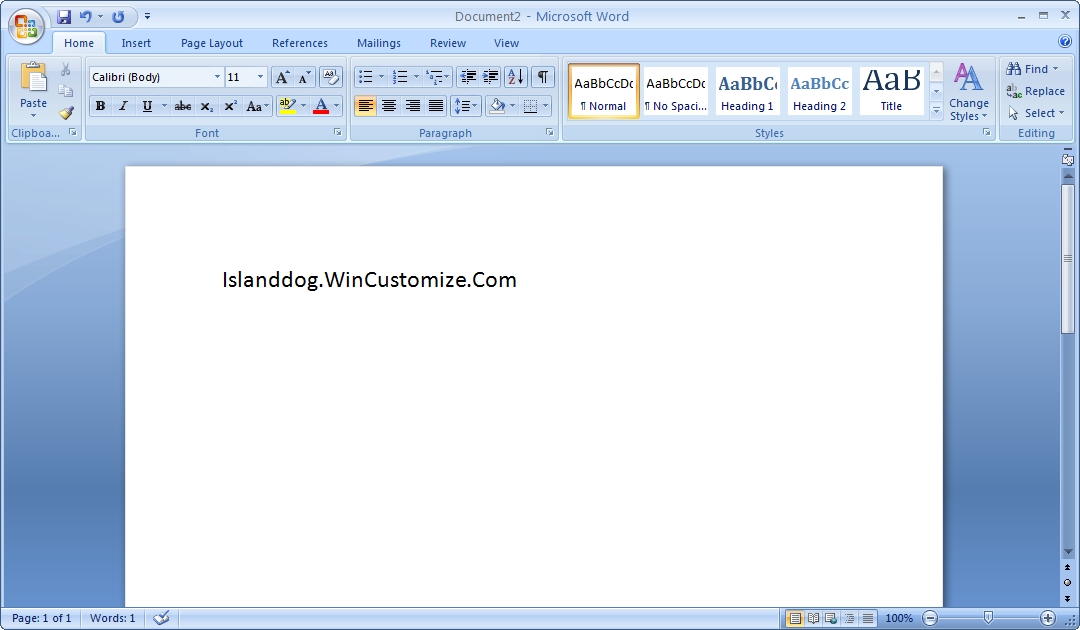
Aside from a web browser, the Microsoft Office 2007 is one of the most used applications on my PC. There are about 8 different suites from the Office Basic version on up to the Enterprise edition. You can check out the comparison chart to determine which suite includes the applications you will need. The most noticeable difference in Office 2007 is it's new interface which includes the new "ribbon". Now I know some will disagree but I have grown to like the ribbon and once I had become familiar with the new layout I found it quite easy to use.
Word 2007
Part of Office 2007 or available stand-alone is Outlook 2007. It is open all day on my PC, and it is essential for my e-mail, calendar, and contact information. One of the really cool features of Outlook is the to-do bar which contains a mini-calendar, upcoming appointments, and displays your task list. This is great because I don't have to switch views just to check on today's upcoming appointments. Other features include RSS feeds, integrated search, and an attachment preview feature.
If you don't need the complete Office suites, then OpenOffice is a great alternative. OpenOffice does not include an e-mail client, but another I can recommend is Mozilla Thunderbird.
Security
Anti-Virus and security tools are very important in your home office setup. There is such a wide variety of good, quality solutions for this, so I'm going to list some of the most popular applications.
- Trend Micro Internet Security 2007 - This is what I personally use and it's a great solution for anti-virus, firewall, spyware protection, wireless networking monitoring, and parental controls.
- Ad-Aware - One of the most popular anti-spyware applications, and they have solutions for personal and business use. The signature files are updated often and it does a great job of cleaning your system.
- CCleaner - Another popular application is CCleaner. This program does a fantastic job of cleaning up unused files on your hard drive. It also has a registry cleaner, and tools for cleaning your startup programs.
- Windows Defender - Another anti-spyware program which also includes real-time monitoring.
- KeepPass Password Safe - This is a password manager that allows you to store all your passwords into a database that is protected by a master key or key disk. This is very handy if you have a lot of passwords and want to organize them in one place.
- Zonealarm - When people think firewall, Zonealarm comes to the mind of many. Zonealarm has grown into a complete security suite, but the free personal edition is still available.
- AVG - AVG is a great, free anti-virus program for non-commercial personal use. Talking with many members on WinCustomize this seems to be one of the favorites.
Data Backup
Stardock KeepSafe - KeepSafe is an application that I really can't go without. If you have typed a long report or article and had it suddenly disappear after one of those "rare" occasions Windows crashed, or accidentally overwritten an important file, then you will appreciate what KeepSafe does. It will save your important files in real-time as you are working on them, and you can easily choose and configure which file types to have saved.
The first time you recover a document that has been lost or corrupted you will understand why this is such a valuable program. When you first start KeepSafe there is an easy setup wizard that will have your documents protected in no time.
|
KeepSafe configuration wizard |

Acronis True Image 10 - This is another program that has saved my data many times over. True Image allows you to create an image of your entire hard drive, including the operating system, and will restore in case of hard drive failure or if something goes wrong with your operating system.
In the next part of this article I will cover graphics programs, utilities, and misc. software. The software I listed today are all things that I use and recommend to anyone. If you think I missed something or would like to add your recommendations, please feel free to post them.
Adobe Unveils CS3 - Will You Take the Plunge?
Wednesday, March 28, 2007 by Island Dog | Discussion: Personal Computing
I have Photoshop CS2 and really did not want to upgrade because CS2 has everything I need, and spending $200 for an upgrade was not something I planned to do just to run Photoshop on Vista.
The estimated price for Creative Suite 3 Design Standard is $1,199 and for the Design Premium version, $1,799. The Web-oriented editions cost $999 for Web Standard and $1,599 for Web Premium.
The CS3 Production Premium is $1,699. And the Master Collection, the most comprehensive package, is $2,499."
As Photoshop is used by a lot of skinners here, do you plan to upgrade to CS3?