











 |
|
Page 5 of 7 | |
|
|---|

Comment #82 Sunday, September 20, 2020 5:32 PM
Yes. We won!  The only thing left is to reduce the program launch time. It connects to a wide variety of Windows libraries and services. Also it creates a lot of controls like buttons, icons, labels, tables, animated objects, etc... and generates skins and color palettes for each one. All this takes from 9 to 22 seconds, depending on the speed of the computer... Too long...
So my goal for the near future is to significantly reduce the launch time. At least to 4-6 seconds. I don't know if I can do this, but I will try.
Okay. I'll go to upload update to WC.
Best Regards, Vicki! I am really very grateful for your help. 

Comment #83 Sunday, September 20, 2020 11:14 PM
Yes we did win. If you can settle what ya did here, not a problem figuring out the load time.....I have all the faith in ya!
Best Regards To You Also Vad, I loved working with ya  . You ever need anything, just let me know.....I'll do my best to help or whatever with ya. You take care and prayers that you and your family stay healthy
  .
.
Comment #84 Monday, September 21, 2020 4:57 AM
Many thanks! If you find any bugs, or maybe you have some ideas on what to change in the HUD design to make it more usable, or if you decide that some features (like news feeds) are necessary but missing, I'm here. 
Comment #85 Monday, September 21, 2020 10:57 AM
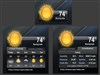
Vad, I'm experiencing a problem with the weather. The current temperature is showing the "high" temperature for the day. Those two temps have been the same for a couple days now. Maybe just the feed? Thanks.
Comment #86 Monday, September 21, 2020 2:50 PM
Did you click the 'Refresh' button? HUD Weather shows the forecast received from server (for example, I see "N/A" for Kiev right now). So, there are two possible reasons why you are seeing the 'wrong' temperature:
- Error in the feed. I've seen this many times.
- No current temperature data available. In this case, you will see the temperature of the first hour from the hourly forecast or 'N/A' like me.
Have you tried the latest updated version? Anyway I'll take a look inside the code.
Comment #87 Monday, September 21, 2020 2:57 PM
I do think it's the feed. It is working correctly now but I have seen N/A before. I do have the latest version. So I think it's okay. Thanks.
 Will do Vad
Comment #90 Wednesday, September 23, 2020 5:59 AM
 Where are the details? How can I help if I do not know what is the matter?

Comment #91 Wednesday, September 23, 2020 3:18 PM
For me the app starts (it grabs 20% in Task Manager) and then drops off without an error.
Comment #92 Wednesday, September 23, 2020 5:21 PM
This is impossible. If you see the app in Task Manager and then it closes unexpectedly (which clearly indicates an error), traces should remain in Event Viewer. If your Antivirus is blocking the app, traces should be in its log...
Otherwise, I will not be able to help, and you will have to find the cause of the problem yourself.
Comment #93 Thursday, September 24, 2020 11:01 AM
Is it just me that's having this problem? Everything works fine except for this. It fixed itself for a day and now it's back again. If it's the feed, fine. I just want to know if I need to fix something on this end. Also, the weather in Rainmeter skins work fine. Thanks.
Comment #94 Friday, September 25, 2020 7:41 AM
Finally I figured out what you mean. That temperature is not a "HIGH". This is the "CURRENT" temperature measured right now. As well as all other parameters such as pressure, wind, humidity and chance of precipitation.
To see a High temperature, switch to 10 days. Likewise, switch to 10 nights to see Low temperature.
P.S. You may use Rainmeter weather if you like it.
Comment #95 Friday, September 25, 2020 10:31 AM
I have it switched to 10 days. That's how I know the Current and High are exactly the same. I don't want Rainmeter weather. I want to know how I can fix this. Thanks.
Comment #96 Friday, September 25, 2020 11:37 AM
You cannot, because it is not a bug. This is how HUD Weather works. Thus, the forecast data will be displayed as is.
Comment #97 Friday, September 25, 2020 11:42 AM
It is a bug. It used to work correctly. The High temp for the day cannot be the same as the Current temp.
Comment #98 Friday, September 25, 2020 1:57 PM
I also checked with WeatherLab-10. Same problem. Maybe it's my city?
Comment #99 Friday, September 25, 2020 2:40 PM
No. This is the weather server. When the current day ends according to their internal clock they display N/A as a daytime temperature for first day.
I don't want to see this. So my weather widgets replaces the empty field with the temperature value for the first hour of the current day.
There are no any problems or bugs. There is only a desire to see the temperature instead of the damn N/A. I cannot influence or change the Weather Service policy. I'm also unable to correct their empty or invalid data. I can only use this data in the form in which it is.
So forget and use HUD calmly. Or remove it and use something else.
Comment #100 Friday, September 25, 2020 3:02 PM
I understand about N/A. I'm saying the Current temp and the High temp are the same. All day long. This should not be. It never was before so it must be my city or the feed. How about this: Check Bloomer, Wisconsin, USA.
Please login to comment and/or vote for this skin.
Welcome Guest! Please take the time to register with us.
There are many great features available to you once you register, including:
- Richer content, access to many features that are disabled for guests like commenting on the forums and downloading files.
- Access to a great community, with a massive database of many, many areas of interest.
- Access to contests & subscription offers like exclusive emails.
- It's simple, and FREE!
|
|
Page 5 of 7 | |
|
|---|






Comment #81 Sunday, September 20, 2020 3:09 PM
Got it.......I loved working with you, it was my pleasure! Again, great job Vad. It will be nice for more people to use your program. If ya ever need anything, I will be there! Thank you
